Build every gig line-up with confidence.
Create reusable band templates, assign musicians to each role and instantly see who's booked, who's unavailable and which positions still need filling.

Build your line-up
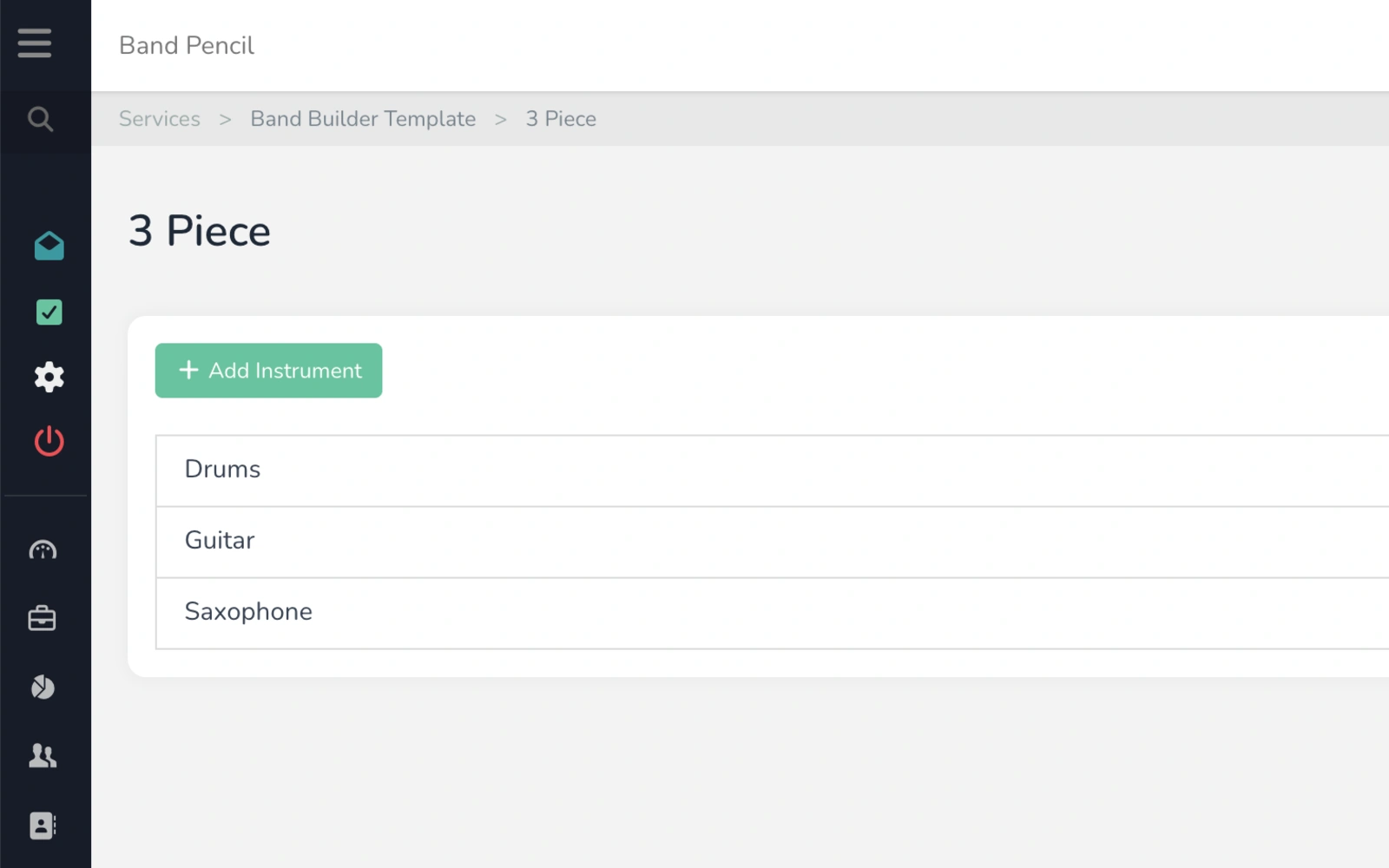
Create templates containing the instruments and roles you normally need, then apply them to your events.
Track availability
See whether musicians are available, unavailable or still waiting to confirm.
Spot missing roles
Immediately see positions that haven't been filled so nobody gets forgotten.
See exactly who's playing every gig.
Whether you manage one band or multiple line-ups, Band Builder gives you a clear view of the people and roles needed for each event — without relying on spreadsheets, group chats or memory.
See who's on the gig in seconds.
Add a line-up template to an event and assign your musicians to the relevant instruments or roles. Band Pencil gives you a clear view of the complete team for that booking.
- View your complete gig line-up in one place
- See who's assigned to each instrument or role
- See available, unavailable and unconfirmed musicians
- Keep the line-up connected to the event
Create the band once. Reuse the structure again and again.
Create templates for the different line-ups you offer and reuse them across future events instead of rebuilding the same structure every time.
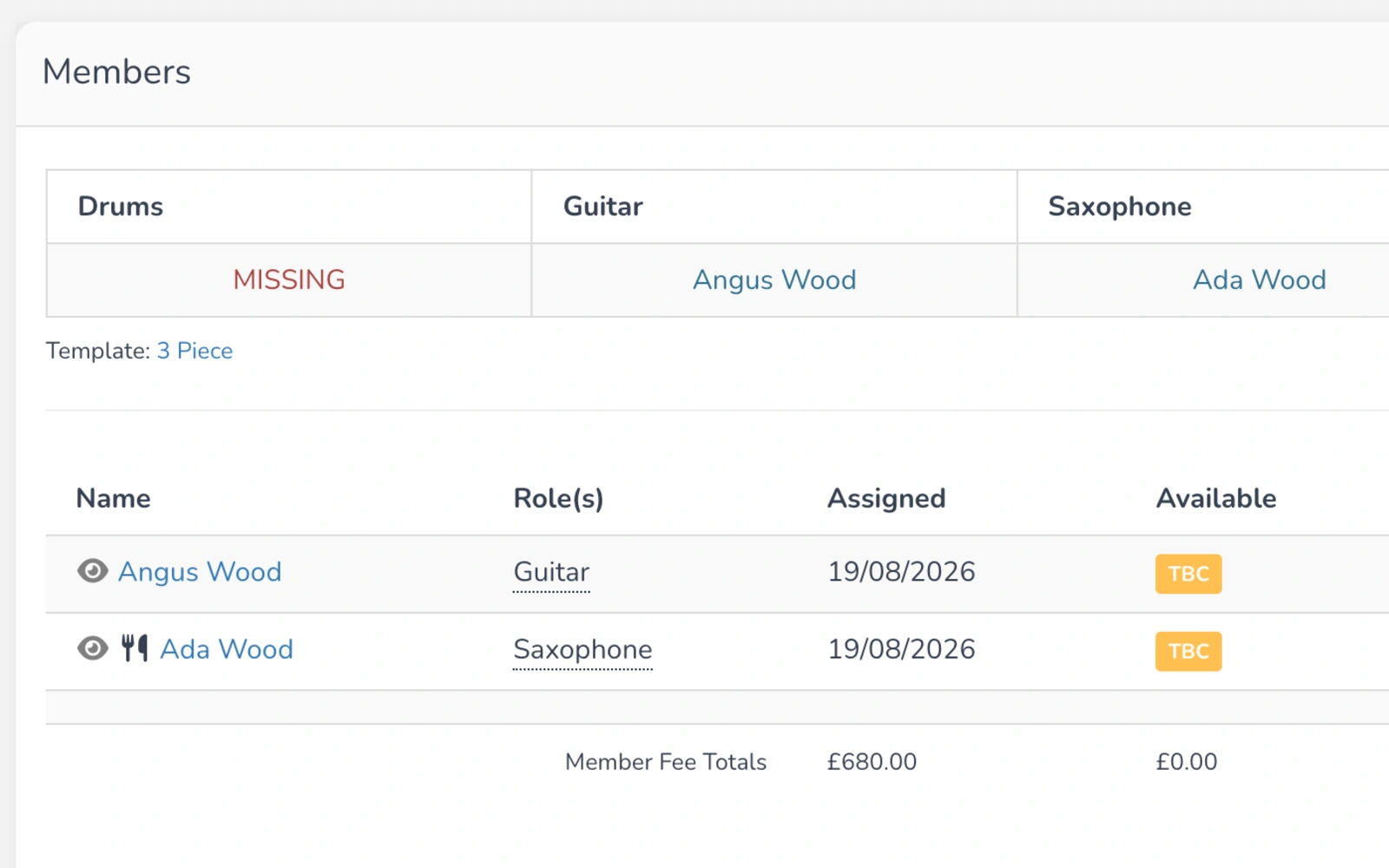
Know exactly who you still need to book.
Band Pencil highlights unfilled roles and unavailable performers so you can see what still needs sorting before the event.
- Quickly identify empty positions
- See when an assigned musician is unavailable
- Know which responses are still outstanding
See the bigger picture across all your upcoming gigs.
Use the line-up overview to see who is booked across upcoming events and quickly identify gigs that still have positions to fill.
- View upcoming event line-ups together
- Spot empty slots quickly
- Use colour-coded statuses to understand progress
- Manage multiple bands and event configurations
One platform,
one process.
Build the structure once, then use it to organise the performers needed for each event.
Create your template
Add the instruments and roles needed for your usual line-up.
Add it to the event
Apply the appropriate line-up template to the booking.
Assign your musicians
Add performers to each position and track their availability.
Fill the gaps
Band Pencil shows you which positions are still empty or need another musician.
“We particularly love the new 'Band Builder' feature that allows us to specify band line-ups.”
The London Function Band
Questions, answered.
Can't find what you're looking for? Contact the Band Pencil team.