Keep your performers in the loop.
The Band Pencil Member Portal gives musicians, performers, technicians and other team members a simple place to check gig details, submit availability, access documents and stay up to date.
Collect availability
Ask members whether they are available for a gig and keep their responses connected to the event.
Share gig information
Give members access to timings, locations and other event details from one dedicated portal.
Simple member access
Get members started with just their name and email address — no full Band Pencil admin account required.
Give your members what they need, without giving them your admin account.
The Member Portal is designed to reduce back-and-forth while keeping your internal admin private. Members can access the event information relevant to them and take action when needed, without logging into your main Band Pencil workspace.
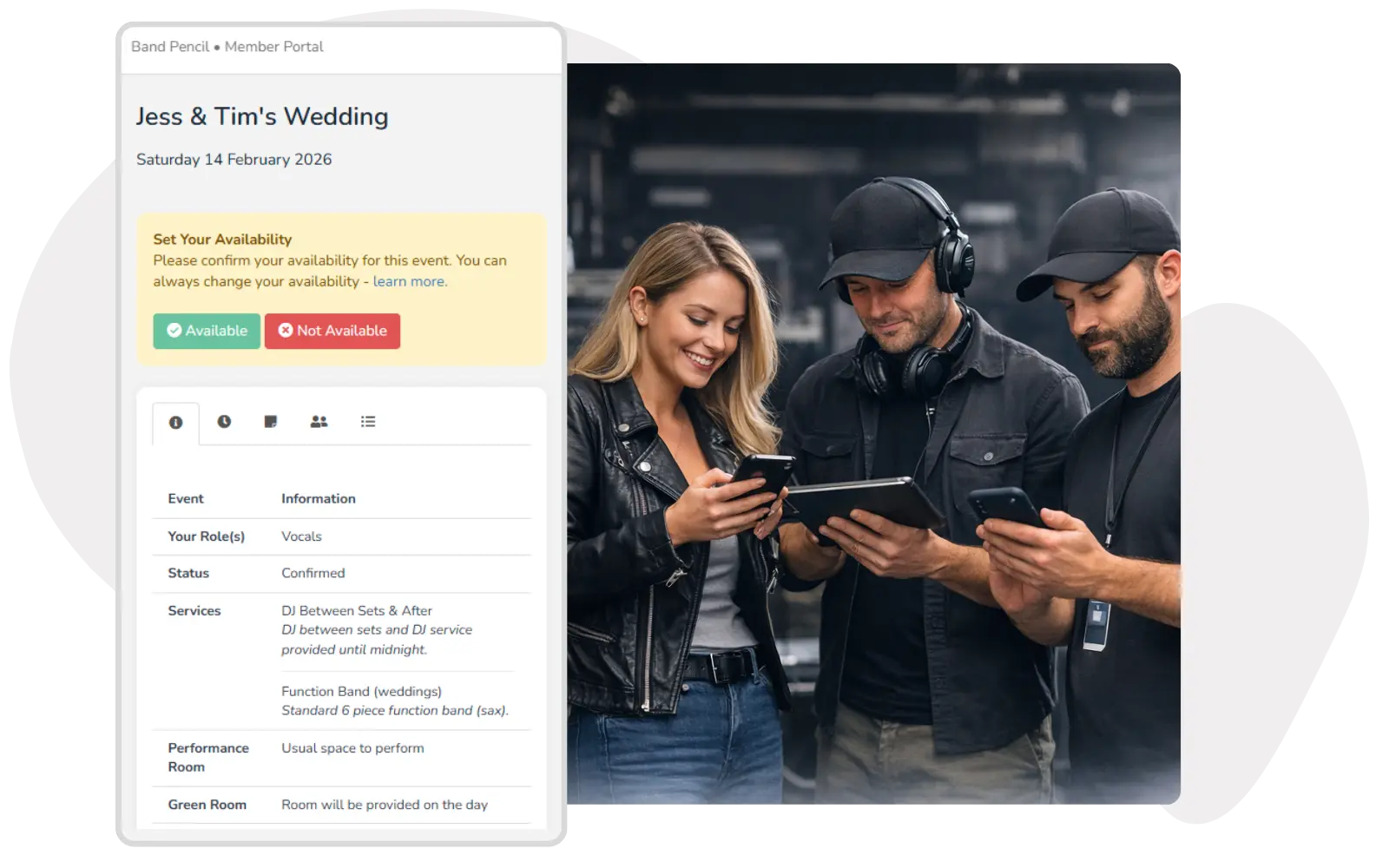
Let members check the details without asking you every time.
Members can open their portal whenever they need to check the information for an upcoming event, helping reduce repeated messages and last-minute questions.
- View upcoming gig information
- Check venue, timing and event details
- Access the portal from desktop, tablet or mobile
- See updates as booking information changes
Collect availability without chasing everyone individually.
Send members an availability request and keep their responses connected to the booking, making it easier to see who can do the gig.
- Ask members to confirm whether they are available
- Keep availability responses tied to the event
- See who is available before assigning the final lineup
- Reduce separate WhatsApp messages and spreadsheets


Keep performer paperwork connected to the gig.
Members can use the portal for more than event details. Depending on your workflow, they can access performer documents, submit invoices and complete actions linked to the booking.
- Share performer contracts
- Allow members to submit invoices
- Keep documents linked to the relevant event
- Keep each member's fee private to that member
Help members keep Band Pencil gigs in their own diary.
Members can sync event information with their personal calendar so confirmed work can sit alongside the rest of their schedule.
- Sync events with personal calendars
- Works with Google, Apple and Microsoft calendar workflows
- Reduce manual diary entry
- Help members keep upcoming bookings visible
One platform,
one process.
The Member Portal keeps the performer side of the booking simple while your admin workflow stays in Band Pencil.
Add your member
Create the member using their name and email address.
Request availability
Ask whether they are available for a booking and keep their response with the event.
Assign them to the gig
Once confirmed, the member can access the relevant booking information through the portal.
Keep them updated
Changes to shared event information remain connected to the booking so the member can check the latest details.
“Having all the information for both clients and performers in one place makes the booking and event management process much more efficient.”
A simpler performer experience means fewer disconnected messages, fewer repeated questions and less admin around every gig.
Questions, answered.
Can't find what you're looking for? Contact the Band Pencil team.