Create, send and track invoices without leaving the booking.
Build professional invoices from your event details, send them to clients online, accept payments and keep track of what's paid, outstanding and overdue.
Create invoices quickly
Build detailed invoices against the booking without copying client and event information into a separate system.
Accept online payments
Let clients pay supported invoices online through Band Pencil's Stripe integration.
Track what you're owed
Keep visibility of paid, outstanding and overdue invoices so you know where your money is.
Quote to invoice, without entering everything twice.
Your client and event information already lives in Band Pencil. Use it to create quotes and invoices, share them with clients and keep payment activity connected to the booking.
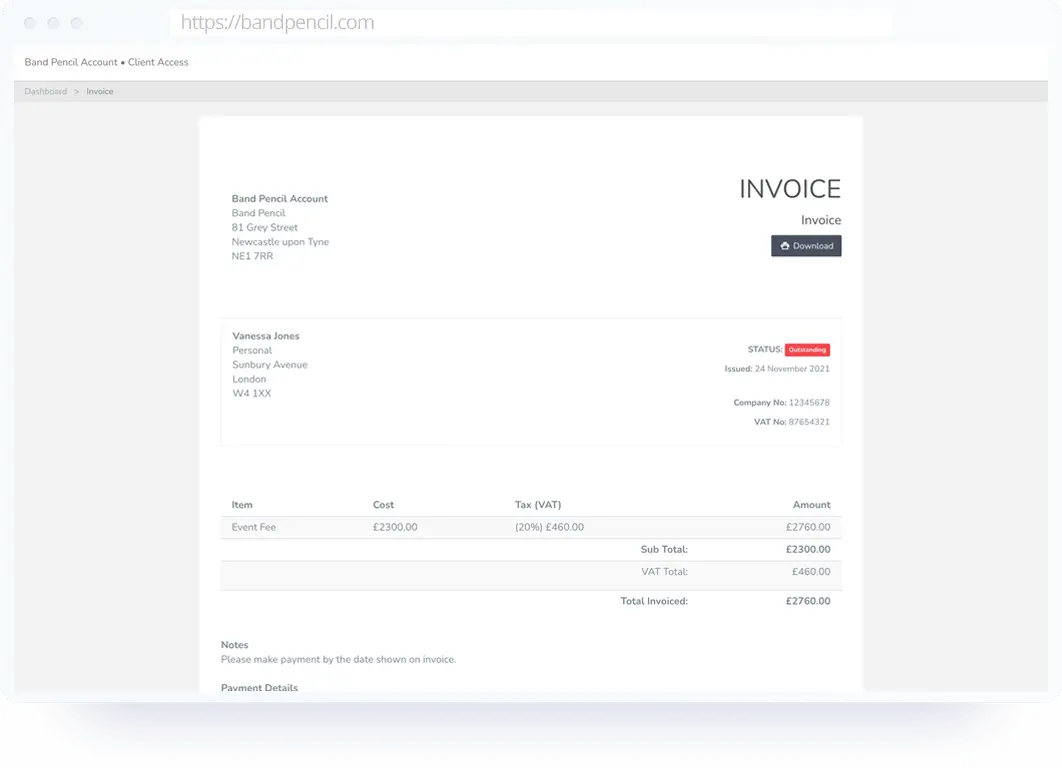
Create professional invoices from the gig.
Build the invoice from the same place you manage the booking, then add the charges and payment details your client needs.
- Add issue and due dates
- Add multiple invoice charges
- Include PO numbers, notes and payment information
- Add an image to the invoice
- Keep the invoice connected to the correct client and event
Give clients easy online access to their invoice.
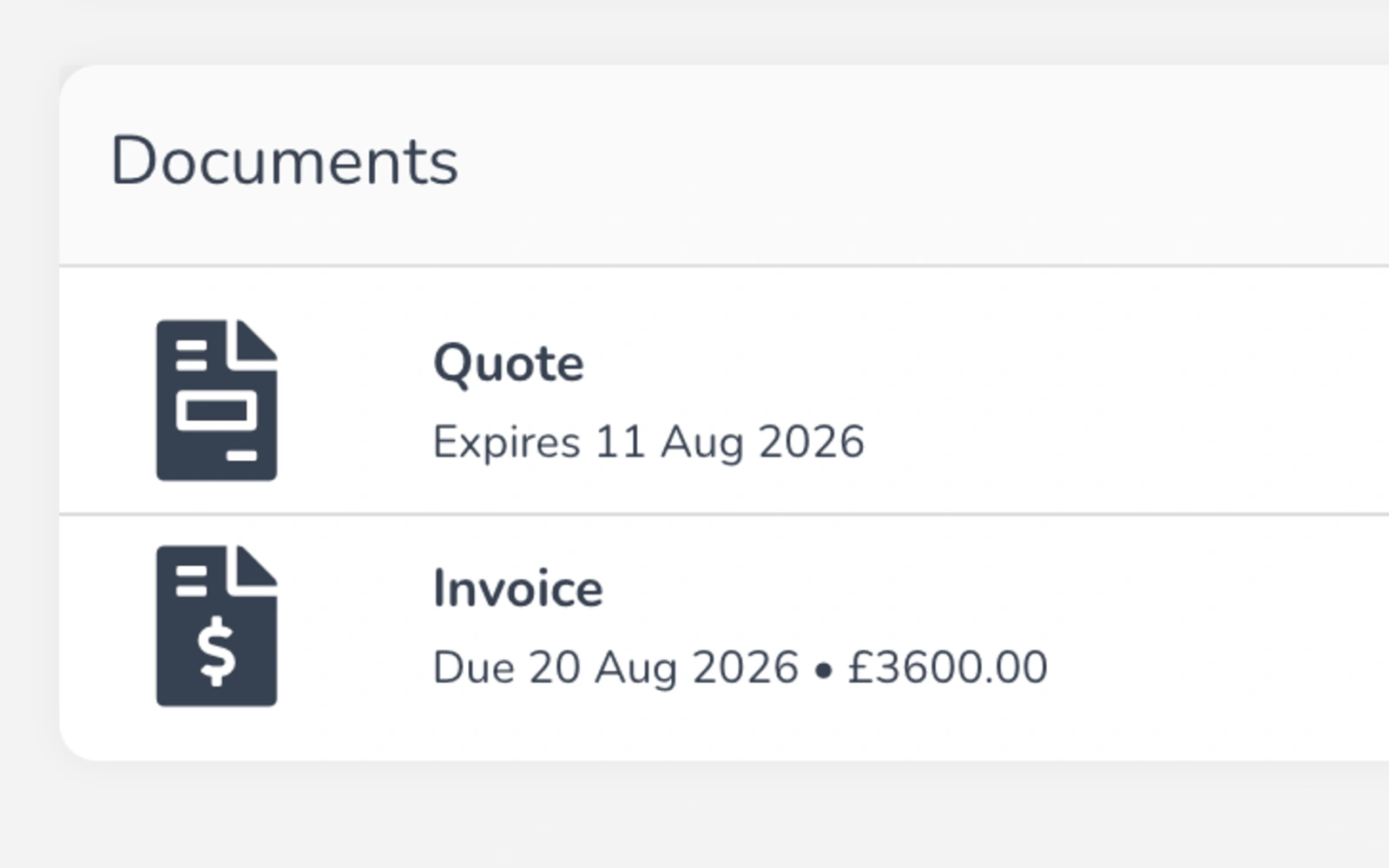
Once sent, clients can view and download their invoice online whenever they need it instead of asking you to resend PDFs or attachments.
- View invoices online
- Download invoices when required
- Access invoice information from desktop, tablet or mobile
- Keep client paperwork available through the connected booking workflow
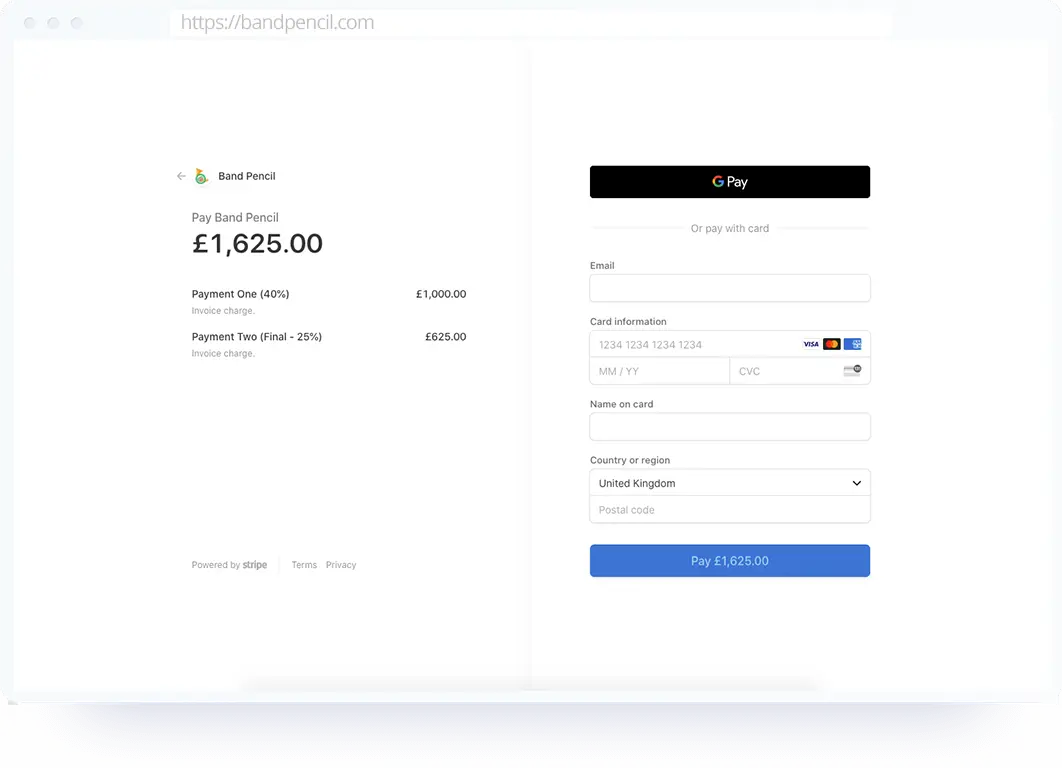
Move from invoice sent to invoice paid.
Connect your invoices with Stripe-powered online payments so clients can move straight from reviewing what they owe to making a secure card payment.
- Accept supported debit and credit cards
- Use Stripe's secure payment infrastructure
- Keep payment activity associated with the invoice
- Give clients a smoother way to settle what they owe
Know what's paid, outstanding and overdue.
Use Band Pencil to keep track of invoice status so you can quickly see which bookings have been paid and which still need attention.
- Track paid invoices
- See outstanding balances
- Identify overdue invoices
- Mark invoices as paid
One platform,
one process.
Keep the invoice lifecycle connected to the same booking from creation through to payment.
Create the invoice
Open the relevant booking and build the invoice with the charges and payment information.
Send it to your client
Give the client online access to view and download the invoice.
Collect payment
Record payment manually or allow the client to pay online through Stripe where enabled.
Track the status
Keep visibility of what's paid, outstanding or overdue from Band Pencil.
Questions, answered.
Can't find what you're looking for? Contact the Band Pencil team.